Adding a Featured Image
The ‘Featured Image’ for a post is that shown with the excerpt of the post anywhere that your posts are visible on the website. Using the right image to match your content helps users understand what they’re seeing whilst making the site more user friendly.
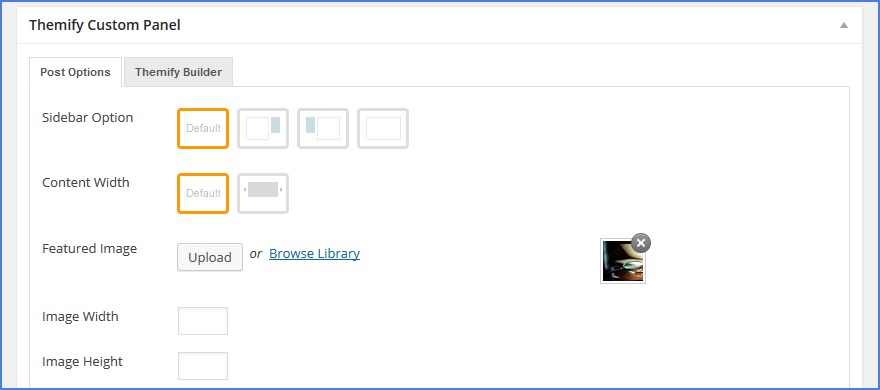
To add a featured image simply scroll down beneath the main text editor to the ‘Themify Custom Panel’ (don’t worry too much about the strange name for this section, its based on the original theme for the website). The third option down allows you to set a Featured Image - simply click to either Upload a new image or choose an existing one from the media library

If you need to upload an image you can browse to it on your computer as normal and open it, but after you upload or if you choose to use an existing image, you’ll find yourself browsing the media library. At this point simply select the image you wish to use and hit Insert image

You’ll be returned to the editing screen where you’ll see a small thumbnail image of you chosen featured image in the the ‘Themify Custom Panel’
That’s all it takes, and once you post is saved and published you’ll see your featured image in its relevant place on the site